
2026 | Entain
Improving accessibility, stake change metrics & user satisfaction of our slots products
Wider Team: Sr. Designer (me) • PO + Stakeholder • Developer
The problem
Insights gathered from data
Problem 1.
No stake change buttons easily available, also reflected in data. Users need to customise this based on wins / losses and increase stake with progress.
Problem 2.
Buttons and text fall outside of accessibility guidelines. We receive complaints in usability due to tight padding between the spin button and menu.
Problem 3.
Buttons disable for up to 5s to promote safer gambling with no visibility of system status. This presents as unresponsive for players.
Process
The Solution
An integrated solution resolving painpoints
The solution presented was a more radical UX redesign. A dedicated toolbar was created to house the buttons and maximise space within the bottom bar. I designed the UI with gamification in mind, and with contrast to compete with the saturated aesthetic of slots games. Various states were designed, along with interaction motion design to improve visibility of system status. The solution had balanced various constraints and benefits.
The results
Positive post MVP results
The project delivered measurable improvements across both the product and the wider business. We saw a significant increase in stake changes, described by our Head of Studio Performance as a "mega increase" alongside richer correlation data that provided better insight into game release performance. The work also strengthened stakeholder relationships and improved overall brand perception, increasing confidence in the product and the team delivering it.


Trade-offs
Making informed trade-offs to maximise user and business value.
These benefits come with trade-offs. The final solution is more fixed and therefore less flexible than earlier iterations, we consciously chose hierarchy, clarity, and space efficiency as priority. This was prioritised over need for additional buttons in the toolbar. However this was also discussed with developers during implementation, with scalable options considered in build.
Iteration analysis
Exploring, validating, and narrowing potential solutions
The design was optimised for vertical space, preserving real estate for game elements. The final solution introduced a clearer visual hierarchy by prioritising the spin button over a set of secondary controls. Accessibility was enhanced by using the full device width to create larger, easier-to-hit touch targets, and the layout also offers a more distinctive configuration that helps establish a recognisable identity for our in-house releases.
Preference
Clear actions
Familiarity
Confidence


Testing against contrasting versions
Small sample size, simple survey to maximise clarity
Tested against V1 and V4
Key insight: Familiarity doesn't correlate with confidence
V1
V4


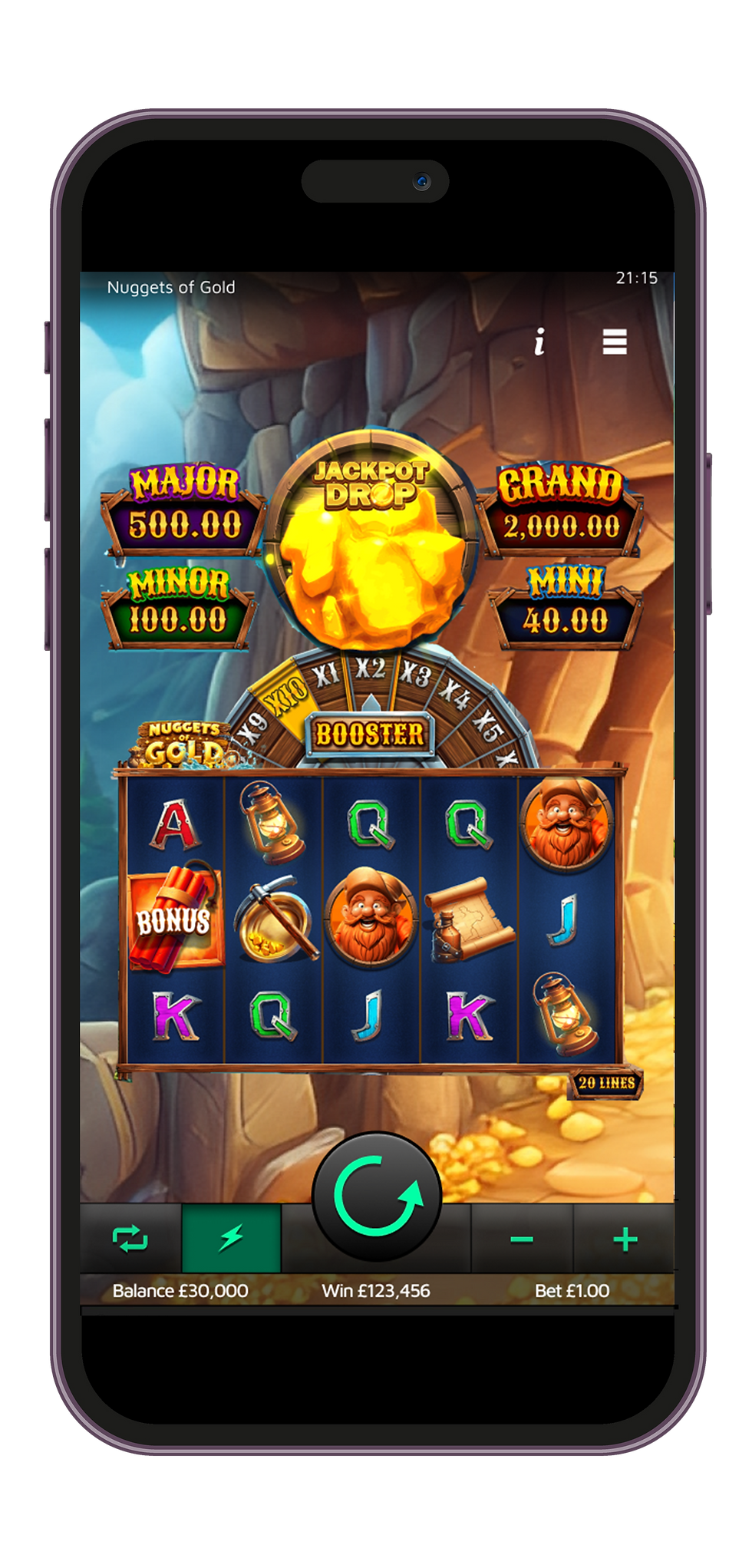

Improving visibility of system status
Providing feedback during configured speed limits
Many jurisdictions enforce spin speed limits (typically 1–5 seconds) to promote safer gameplay, which introduces pauses between spins where buttons are disabled. This can make gameplay feel slow and frustrating. Most competitors handle this by greying out buttons or offering no interaction during the pause, but this often results in distracting “flashing” effects, especially in faster modes. To address this, motion design can be used to create smoother, less jarring transitions during these pauses. Further considerations were:
1. The solution needs to work across 3 speeds, 1s, 2.5s and 5s however weighted more to quicker speeds as 5s is a rare requirement
2. Subtly is key. This is to support the feeling of progression and minimise frustration


Reflection


